

Download Barquee – minimalist menu‑bar iTunes controller for macOS
Overview
Barquee is a tiny macOS utility that places iTunes playback controls directly in the menu bar, giving you instant access to play, pause, skip, and volume without ever opening the full iTunes window. Designed for classic Mac environments, the app shows the current track title and artist in a clean dropdown, and it lets you fine‑tune the visual appearance – from font size and style to scrolling speed or even a static display. Although Barquee was originally released for iTunes 4‑7 on macOS 10.3‑10.4 (Panther and Tiger), its lightweight design still appeals to collectors, vintage‑Mac hobbyists, and anyone who prefers a distraction‑free music controller.
The tool’s core philosophy is “do one thing and do it well”: it removes the need for bulky windows, lets you keep your focus on other applications, and offers hot‑key support for truly keyboard‑centric workflows. Because it hasn’t been updated since 2006, Barquee is technically abandonware, meaning modern macOS versions may require work‑arounds such as running it in a legacy virtual machine or using compatibility layers. Nonetheless, for users who maintain older setups or who simply love a minimalist interface, Barquee remains a reliable, low‑memory footprint solution that delivers exactly what it promises – fast, unobtrusive iTunes control from the corner of your screen.
Key Features & Simple Installation
- Menu‑bar playback controls – play, pause, next, previous, and volume.
- Live track metadata (title & artist) displayed in a compact dropdown.
- Customizable text: choose font, size, color, drop shadow, and scrolling width.
- Toggle scrolling ticker on or off; adjust speed to suit your preference.
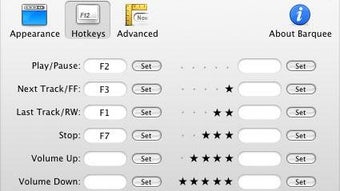
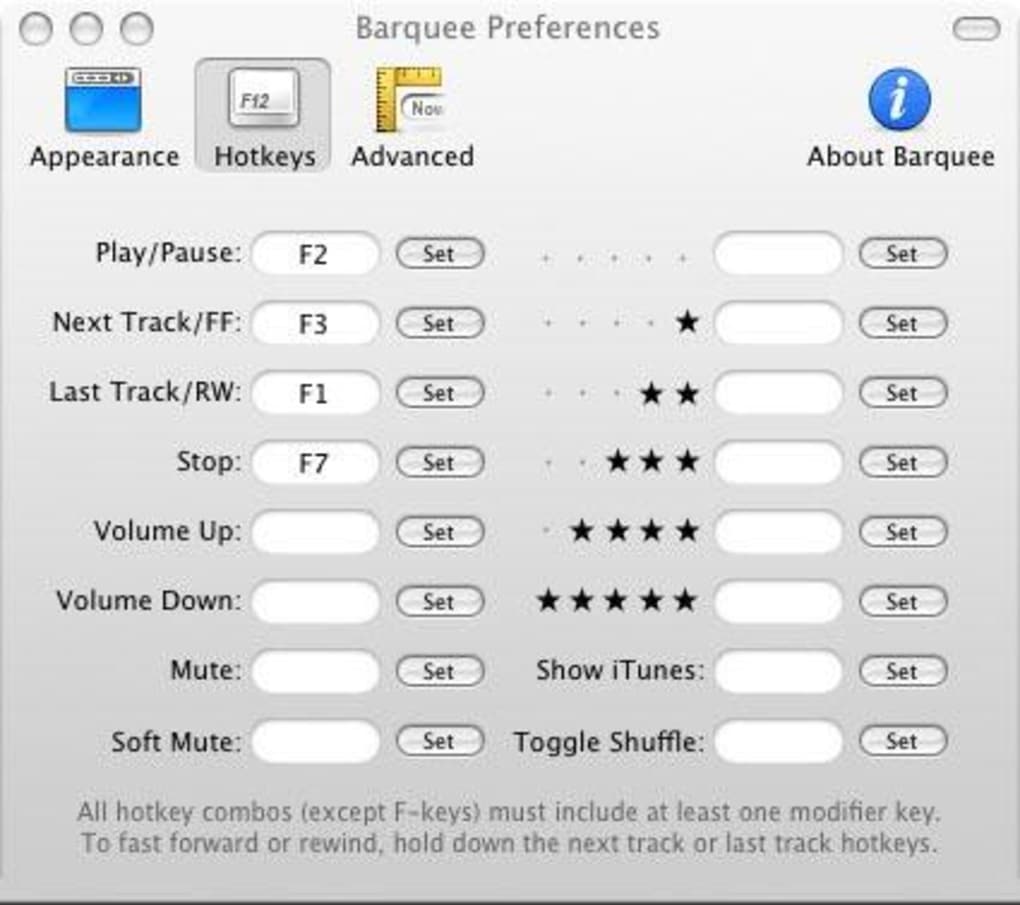
- Global hot‑key support for keyboard‑only operation.
- Lightweight binary (under 500 KB) that leaves almost no footprint on RAM.
- Works with iTunes versions 4‑7; compatible with classic macOS 10.3‑10.4.
- Simple drag‑to‑Applications folder install – no installer wizard required.
Installing Barquee is as straightforward as any classic Mac app. Download the ZIP archive from a trusted mirror, extract the Barquee.app bundle, and drag it into your Applications folder. The first launch will prompt macOS to verify the developer; because Barquee is unsigned legacy software, you may need to open System Preferences → Security & Privacy and allow the app to run.
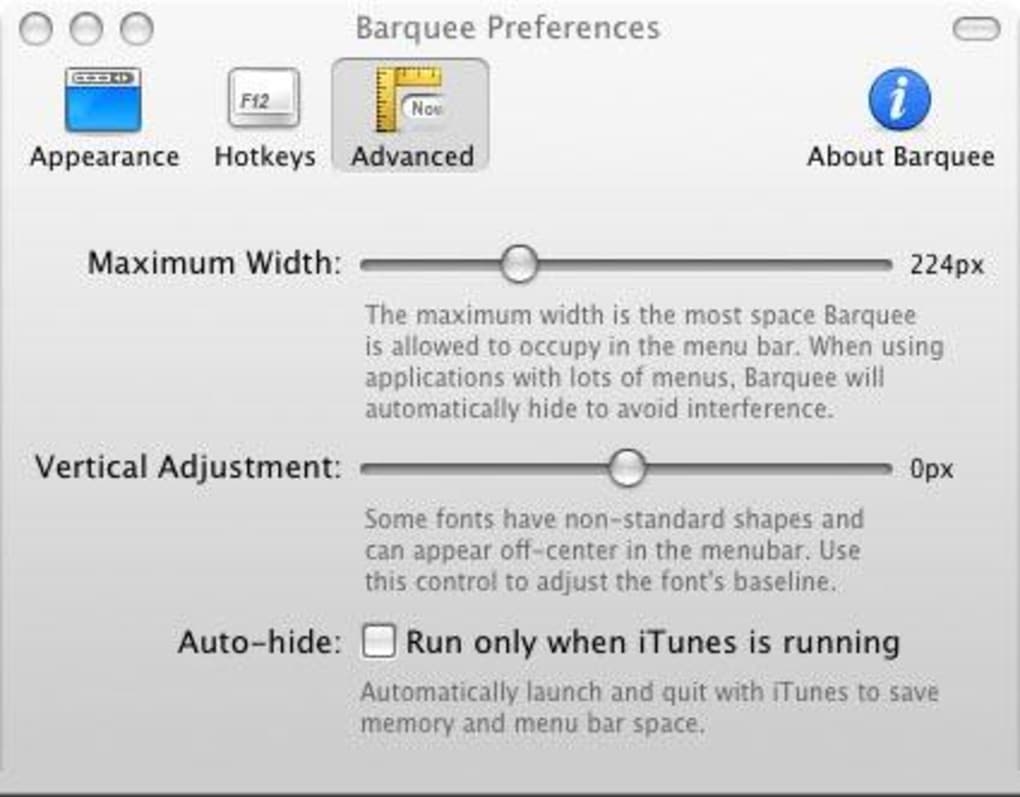
Once approved, launch Barquee, and a tiny icon appears in the menu bar. Clicking the icon reveals the control dropdown, while right‑clicking opens the preferences pane where you can tweak fonts, scrolling behavior, and hot‑key assignments. Because the utility does not require background daemons or launch agents, it starts instantly and can be added to your login items for persistent availability.
The entire setup process typically takes under two minutes, even for users unfamiliar with legacy Mac software.
Compatibility, Pros & Cons
Barquee was built for macOS 10.3 (Panther) through 10.4 (Tiger) and works with iTunes versions 4, 5, 6, and 7. On modern macOS releases (Catalina, Big Sur, Monterey, Ventura, and later), native execution is unlikely due to the disappearance of the classic iTunes binary and changes in the system security model. Users who need Barquee on newer machines can employ one of the following work‑arounds: run a virtual machine with an older macOS version, use an open‑source iTunes‑compatible replacement (e.g., Music Player Daemon with a bridge), or rely on a legacy hardware Mac that still runs Panther/Tiger. For those who stay within the supported environment, Barquee shines with the following advantages and drawbacks:
Pros
- Minimal resource usage – virtually no RAM or CPU impact.
- Instant access – playback controls are always a click away.
- Highly customizable UI – fonts, shadows, scrolling speed, and ticker toggles.
- Keyboard‑first design – global hot‑keys eliminate mouse reliance.
- Zero‑cost – free download with no hidden fees or subscriptions.
Cons
- Not compatible with current macOS releases without virtualization.
- Lacks support for Apple Music, podcasts, or newer iTunes libraries.
- No automatic update mechanism – the app is frozen at its 2006 version.
- Unsigned code may trigger security warnings on recent systems.
- Limited to basic playback functions; no advanced playlist management.
FAQ – Barquee Legacy iTunes Controller
Is Barquee still safe to download?
Yes, as long as you obtain the ZIP file from a reputable source or the original developer’s archive. The binary is unsigned, so macOS will flag it, but after granting an exception in Security & Privacy you can run it safely on supported systems.
Can Barquee control the new Music app on macOS Catalina and later?
No. Barquee communicates directly with the classic iTunes process. The modern Music app uses a different framework, so Barquee cannot send commands to it without a compatibility bridge, which currently does not exist.
How do I set up global hot‑keys?
Open Barquee’s preferences (right‑click the menu‑bar icon → Preferences), then navigate to the “Hot‑Keys” tab. Assign your desired key combinations for Play/Pause, Next, and Previous. Click “Apply” and the shortcuts become active system‑wide.
Will Barquee affect my iTunes library performance?
No. Barquee only reads metadata from the currently playing track and sends simple playback commands. It does not modify the library, index files, or run background processes that could slow iTunes.
Is there any way to get automatic updates for Barquee?
Unfortunately, Barquee is no longer maintained, so there are no official updates. The community occasionally republishes the original installer for archival purposes, but new features or bug fixes are not expected.
Conclusion – Should You Download Barquee?
If you run a legacy Mac that still hosts classic iTunes, Barquee offers a fast, free, and highly customizable way to keep your music controls at your fingertips. Its tiny footprint and keyboard‑first design make it a perfect companion for multitaskers who dislike switching windows. However, if you rely on modern macOS versions, Apple Music, or streaming services, you’ll need a more up‑to‑date solution. For vintage‑Mac enthusiasts or anyone who loves a minimalist menu‑bar widget, Barquee remains a hidden gem that delivers exactly what its description promises – unobtrusive, reliable iTunes control from the corner of your screen. Download Barquee today, add it to your login items, and experience classic Mac simplicity revived.







